Every Restaurant Order Reaches the Kitchen

Never Lose Another Customer Order
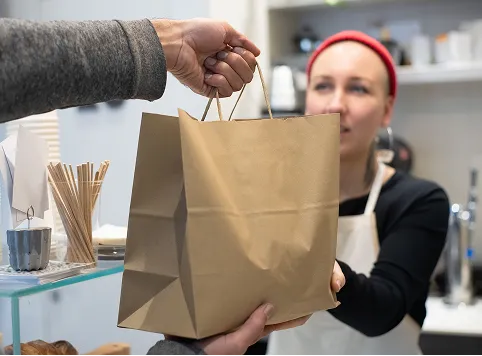

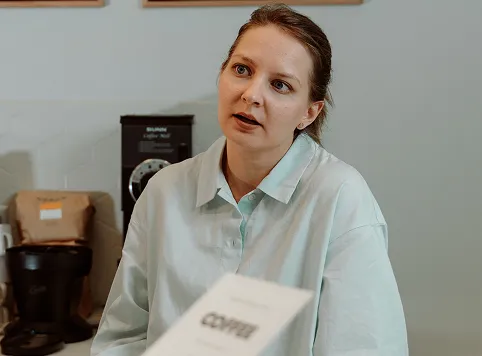
A person handing over a brown paper bag to a woman wearing a red headband and white apron in a cafe or store setting.Young woman with curly red hair and glasses holding a coffee cup in one hand and a phone to her ear, sitting indoors with a plant and a blurred chalkboard in the background.A woman with light-colored hair tied back wearing a pale blue button-up shirt is looking slightly to the side with a thoughtful expression in a room with coffee-making equipment in the background.Man wearing a patterned coat and dark turtleneck talking on a smartphone outdoors in an urban setting.Two women smiling and looking at a smartphone together indoors near a window with greenery outside.Smiling older woman with gray hair and black-framed glasses talking on a smartphone, wearing a gray blazer and pink top.
Order Workflow

AI Protecting Every Restaurant Order

01

Order Confirmation

Confirm every menu item, quantity, modifier, and customer request accurately before completing and approving the restaurant order.

02

Kitchen Order Delivery

Send confirmed orders directly to the kitchen with complete details, ensuring staff receive everything needed for fast preparation.

03

Kitchen Ticket Printing

Automatically print clear kitchen tickets containing order items, quantities, modifiers, and special instructions for accurate preparation.

04

Live Ticket Safety Net

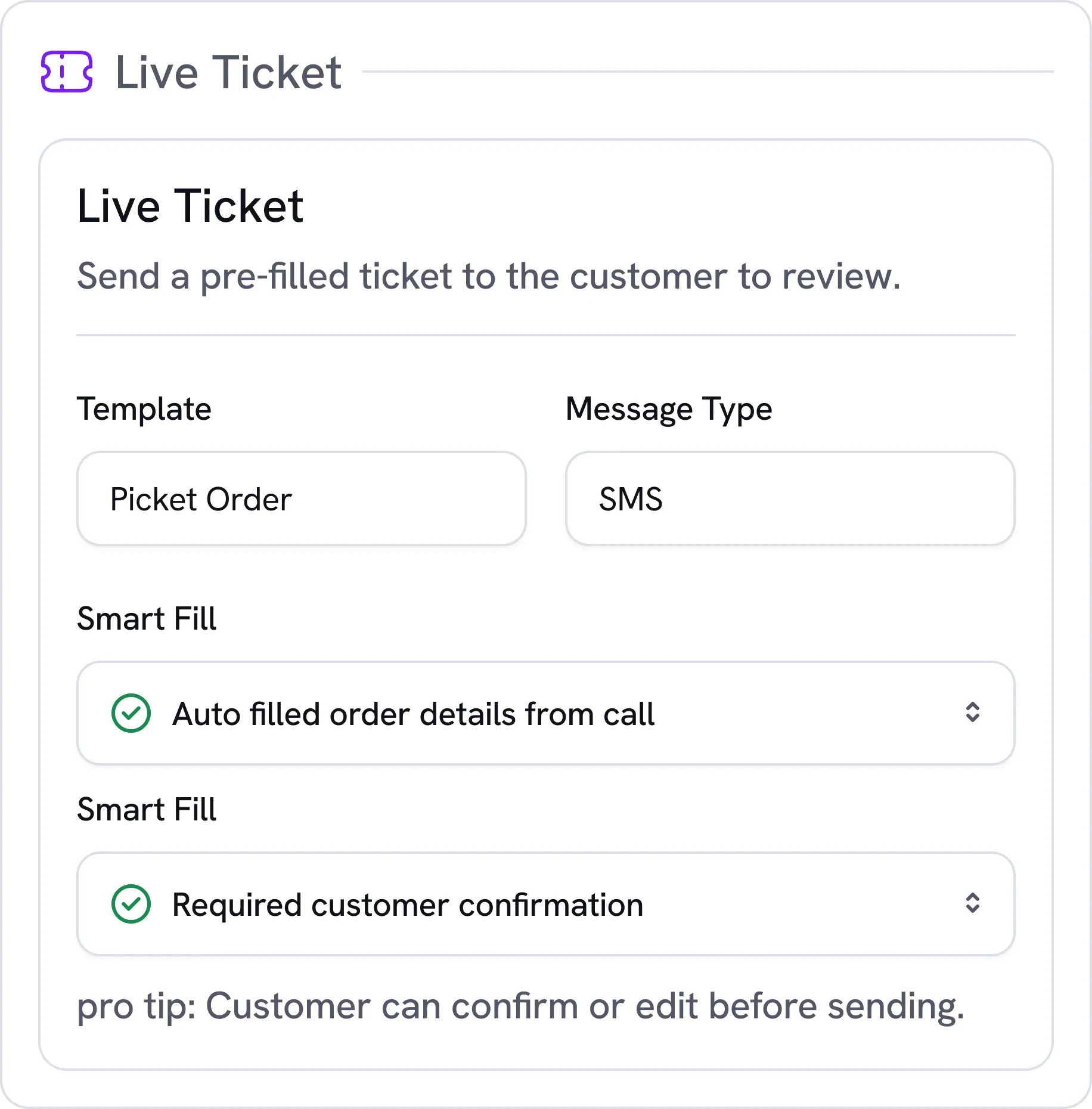
When voice confidence is low, automatically send customers a pre-filled Live Ticket by SMS to review and confirm.

05

Order Successfully Received

Track every confirmed order through kitchen delivery and ticket printing, ensuring customer orders are never missed or lost.

Order Protection

Keep Every Restaurant Order Moving

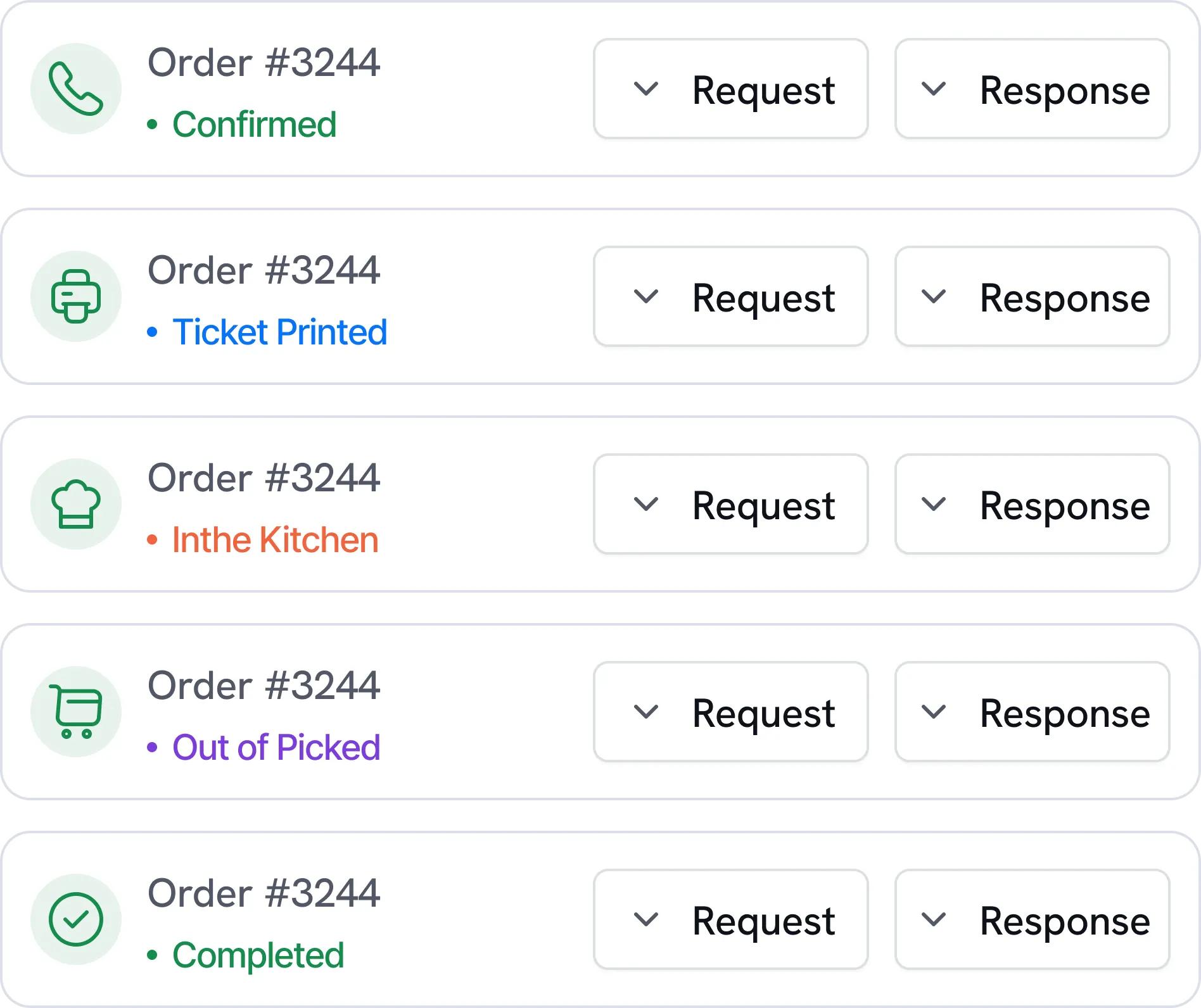
Track every order from confirmation to kitchen delivery, ensuring complete details reach restaurant staff without getting lost.

Black check mark symbol on a white square background.
Order Confirmation Tracking
Black check mark symbol on a white square background.
Kitchen Ticket Printing
Black check mark symbol on a white square background.
Order Delivery Status
Five status entries for Order #3244 showing different icons and status texts: phone with 'Confirmed' in green, printer with 'Ticket Printed' in blue, chef's hat with 'Inthe Kitchen' in orange, shopping cart with 'Out of Picked' in purple, and checkmark with 'Completed' in green, each with Request and Response dropdown buttons.bg
Live Ticket

Recover Unclear Orders with Live Ticket

When voice details are unclear, Soleir sends a pre-filled SMS so customers can quickly review and confirm.

Black check mark symbol on a white square background.
Pre-Filled Order Details
Black check mark symbol on a white square background.
Customer SMS Confirmation
Black check mark symbol on a white square background.
Automatic Kitchen Delivery
Settings panel titled Live Ticket with instructions to send a pre-filled ticket to customers for review; options include Template set to Picket Order, Message Type set to SMS, Smart Fill enabled for auto-filled order details from call, and required customer confirmation; a pro tip states the customer can confirm or edit before sending.bg
Order Completion

Deliver Every Order Reliably with AI

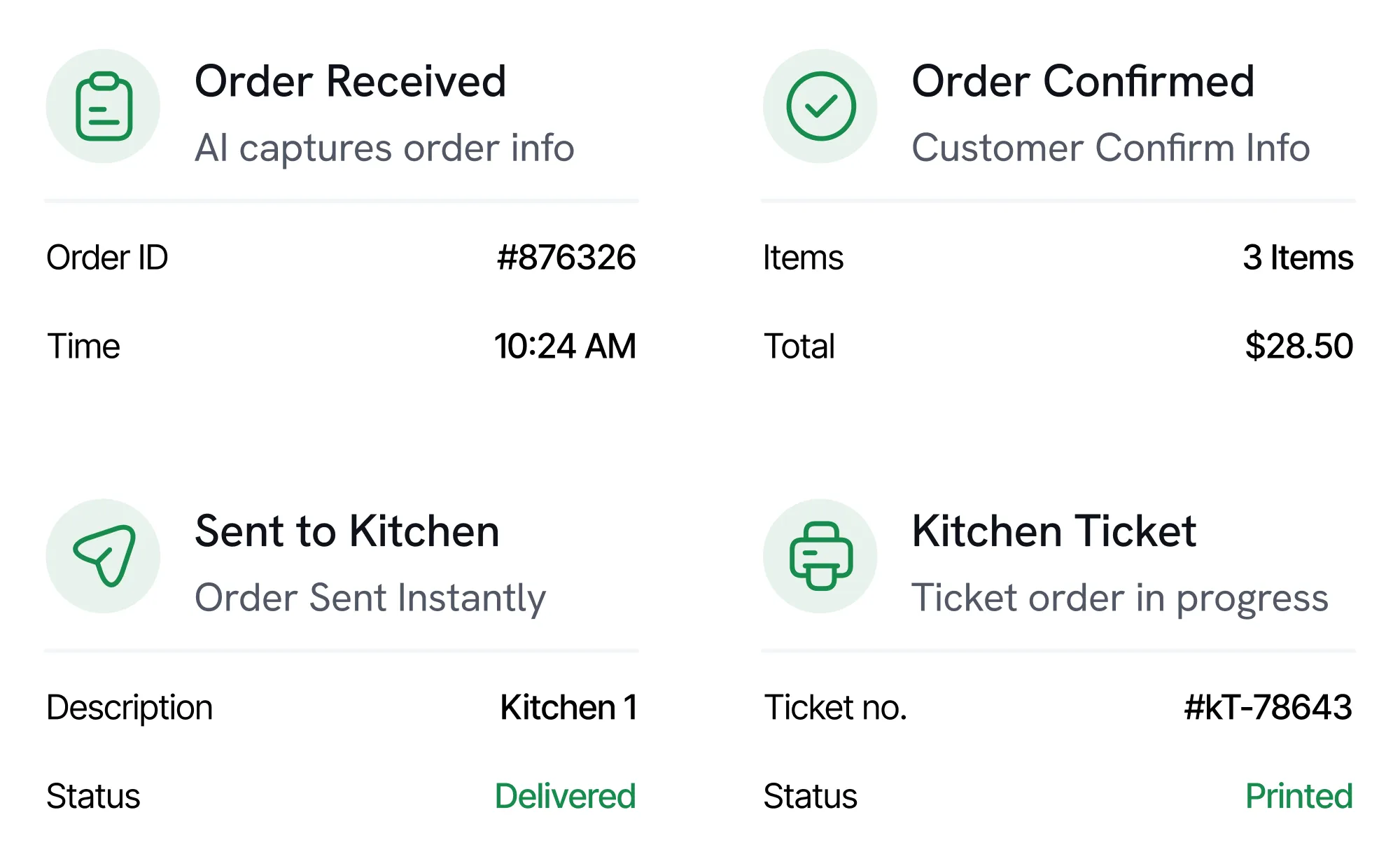
Send confirmed orders directly to the kitchen with complete details, keeping restaurant preparation accurate and uninterrupted.

Black check mark symbol on a white square background.
Instant Kitchen Delivery
Black check mark symbol on a white square background.
Complete Order Details
Black check mark symbol on a white square background.
Reliable Ticket Printing
Four-panel order process showing: Order Received with ID #876326 at 10:24 AM, Order Confirmed with 3 items totaling $28.50, Sent to Kitchen with description Kitchen 1 and status Delivered, and Kitchen Ticket with ticket no. #kT-78643 and status Printed.bg
Your Data

Your customers' data stays yours

Simplified purple flower icon with five rounded petals on a black background.Simple gray corner bracket with circles on each end on a black background.
White line connecting two white circles on a black background.Blue abstract geometric shapes resembling a triangle and rectangle on a black rounded square background.White corner bracket with rounded edges on a black background.
Minimalist graphic of two diagonal gray corner lines connected by a vertical line with white circles at ends.Blue abstract symmetrical shape resembling two mirrored arrows pointing inward on a black background.

Using a specific POS? POS integrations are coming: tell us which one you use.

Contact
Orange outline of a rounded rectangle on a black background.
Flowchart of interconnected icons representing various POS and kitchen systems with the text: Using a specific POS or kitchen system? We build custom integrations—let's talk.

Using a specific POS? POS integrations are coming: tell us which one you use.
Pricing

Simple plans for every restaurant.

Kitchen Printer Included
Essential

€120

Perfect for small restaurants
Black checkmark icon on a transparent background.
Answer Every Restaurant Call
Black checkmark icon on a transparent background.
Takeaway Orders by Phone
Black checkmark icon on a transparent background.
Options, Sauces and Extras
Black checkmark icon on a transparent background.
Print Tickets In Kitchen
Black checkmark icon on a transparent background.
SMS and Email Order Alerts
Black checkmark icon on a transparent background.
Live Ticket Safety Net
Kitchen Printer Included
Tailored

Custom

Several restaurants, a chain, or another trade
Black checkmark icon on a transparent background.
Everything in Pro, plus:
Black checkmark icon on a transparent background.
Minutes Sized to Your Volume
Black checkmark icon on a transparent background.
One Agent per Restaurant
Black checkmark icon on a transparent background.
Rollout Restaurant by Restaurant
Black checkmark icon on a transparent background.
Another Trade? We Build Your Agent
Black checkmark icon on a transparent background.
Your Menu, Your Rules, Your Voice
Black checkmark icon on a transparent background.
Live Ticket safety net
Black checkmark icon on a transparent background.
POS Integration
Black checkmark icon on a transparent background.
Reports Across Your Locations
Black checkmark icon on a transparent background.
A Dedicated Contact
Kitchen Printer Included
Essential

€100

Perfect for small restaurants
Black checkmark icon on a transparent background.
Answer Every Restaurant Call
Black checkmark icon on a transparent background.
Takeaway Orders by Phone
Black checkmark icon on a transparent background.
Options, Sauces and Extras
Black checkmark icon on a transparent background.
Print Tickets In Kitchen
Black checkmark icon on a transparent background.
SMS and Email Order Alerts
Black checkmark icon on a transparent background.
Live Ticket Safety Net
Kitchen Printer Included
Tailored

Custom

Several restaurants, a chain, or another trade
Black checkmark icon on a transparent background.
Everything in Pro, plus:
Black checkmark icon on a transparent background.
Minutes Sized to Your Volume
Black checkmark icon on a transparent background.
One Agent per Restaurant
Black checkmark icon on a transparent background.
Rollout Restaurant by Restaurant
Black checkmark icon on a transparent background.
Another Trade? We Build Your Agent
Black checkmark icon on a transparent background.
Your Menu, Your Rules, Your Voice
Black checkmark icon on a transparent background.
Live Ticket safety net
Black checkmark icon on a transparent background.
POS Integration
Black checkmark icon on a transparent background.
Reports Across Your Locations
Black checkmark icon on a transparent background.
A Dedicated Contact
Gradual rollout

From the Founder

“A call missed during the rush is an order lost. We built Soleir so your phone is always answered, and you can stay in the kitchen.”


Soleir
Kevin
Founder of Soleir
FAQ

Common Questions

How does Soleir’s AI voice agent work?

Soleir uses natural language AI to answer incoming calls and have real conversations with your customers, just like a trained staff member. It understands context, asks clarifying questions when needed, and completes the task before handing off a clean summary to your team.

Can Soleir take orders over the phone?

Yes. Soleir takes full food orders over the phone, confirming items, quantities and any special requests while the customer speaks naturally. Once the order is complete, it goes straight to your kitchen: a printed ticket, plus an SMS and email alert.

Can Soleir handle table reservations?

Soon. Table reservations are on the way: date, time, party size and special requests, taken over the phone just like an order. Restaurants already using Soleir will get it first.

Can Soleir send orders directly to my kitchen?

Yes. Once an order is confirmed, Soleir sends it straight to your kitchen: the ticket prints on the printer we provide, and you also get it by SMS and email. No one has to relay the order by hand, which cuts errors and delays.

What is the Live Ticket feature?

Live Ticket is Soleir's safety net. If the agent isn't completely sure it got an order right, it texts the customer a pre-filled order to check and confirm. Once confirmed, the order goes through to the restaurant.

Can Soleir answer calls 24/7?

Yes. Soleir never takes a break: it answers around the clock, including nights, weekends and holidays.

Can Soleir handle multiple restaurant calls?

Yes. Soleir answers several calls at the same time, so your customers aren't left waiting during the rush. Each call is handled on its own, from hello to ticket.

Never Miss Another Restaurant Call

Stay updated with the latest Soleir features restaurant AI insights to your inbox.

Thank you! Your submission has been received!
Oops! Something went wrong while submitting the form.
bg
bg